

Business laptop repair services fall into four core categories: hardware fixes, software troubleshooting, micro-soldering, and on-site services. Each type addresses a different failure mode, and choosing the wrong one costs you time, money, and sometimes your data. For business professionals and small business owners, understanding the types of business laptop repairs available means you can act fast when a device goes down and avoid overpaying for work you do not need.
1. Common hardware repairs for business laptops
Hardware failures are the most visible types of laptop problems. Battery failure, screen damage, charging port issues, keyboard faults, hinge damage, and thermal system degradation account for the majority of service calls. 90% of common hardware issues like battery failure, charging port damage, and overheating can be diagnosed in under 15 minutes using tools like HWMonitor and MemTest86. That speed matters because symptoms typically appear 2–4 weeks before total failure, giving you a window to act before a device dies completely.
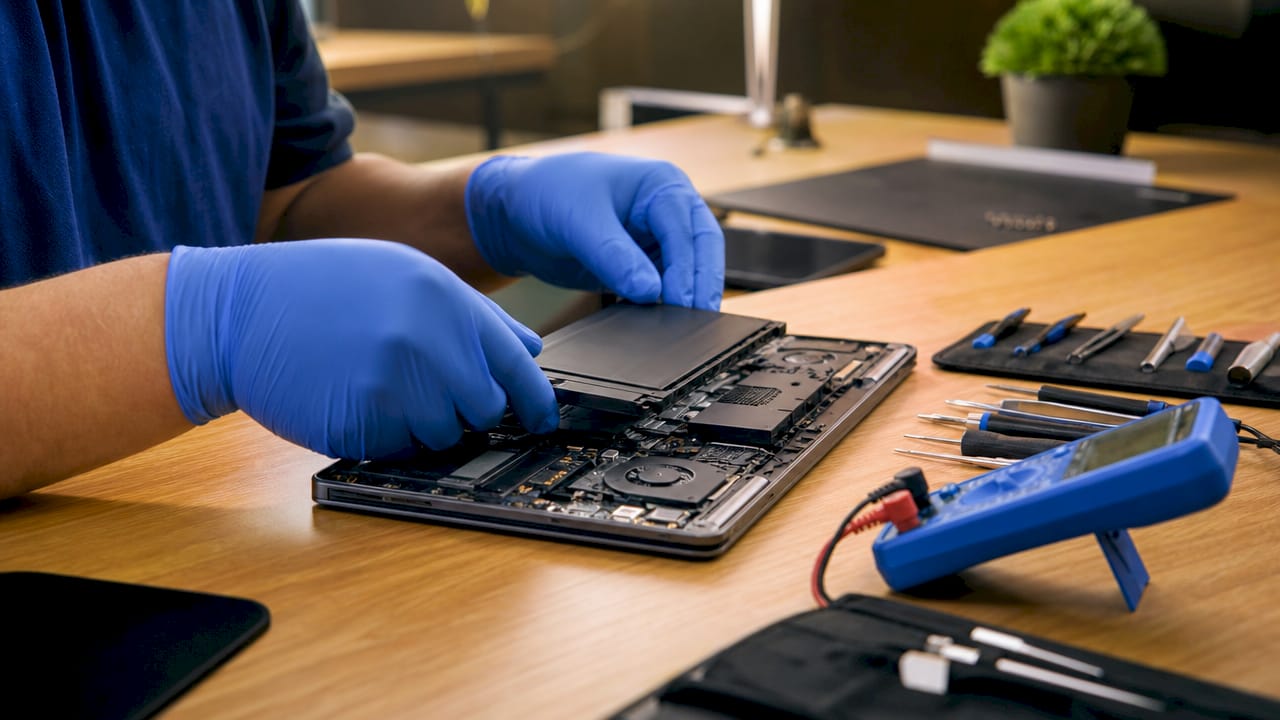
Hardware repairs split into two approaches: component-level repair and full part replacement. Component-level repair is cheaper and faster. Full replacement is more reliable for high-wear parts like batteries and screens. Knowing which approach fits your situation prevents overspending.
Common hardware symptoms and their corresponding repairs:
- Sudden shutdowns or throttled performance: Thermal paste degradation. Fix: clean fans and replace thermal compound.
- No charge or intermittent charging: Charging port damage or battery cell failure. Fix: port re-soldering or battery swap.
- Flickering or blank screen: LCD cable fault or backlight failure. Fix: cable reseating or screen panel replacement.
- Keys not registering: Keyboard membrane damage. Fix: keyboard deck replacement.
- Loose or cracked lid: Hinge failure. Fix: hinge bracket replacement.
- Random crashes or BSODs: RAM contact failure or SSD wear. Fix: RAM reseating or SSD replacement.
Pro Tip: Schedule an annual thermal cleaning and thermal paste replacement. Thermal system degradation is one of the most common causes of performance loss and is frequently misdiagnosed as a hardware failure requiring expensive parts.
2. Software repairs and their business impact
Software problems cause a large share of laptop downtime, yet they are often cheaper and faster to fix than hardware faults. Common software repairs include operating system reinstalls, virus and malware removal, driver conflicts, and software crashes. Many of these can be resolved remotely, which means zero travel time and minimal disruption to your workday.
The tricky part is that software issues often look like hardware failures. Performing software diagnostics before opening the laptop prevents unnecessary labor fees and reduces error. Thermal throttling and RAM exhaustion are two of the most common causes of random crashes and blue screens, and both are software-diagnosable before any physical repair begins.
Key software repair types for business laptops:
- OS corruption or slow boot: Full OS reinstall or repair install.
- Virus or ransomware infection: Malware removal with full system scan and credential audit.
- Driver conflicts: Driver rollback or clean reinstall via Device Manager.
- Software crashes and freezes: Conflict resolution through safe mode diagnostics.
- Remote access failures: VPN or network adapter driver repair.
Remote diagnosis works well for most software repairs. On-site visits are necessary when the device cannot boot, cannot connect to a network, or when data recovery is involved.
3. Micro-soldering and motherboard repair
Micro-soldering is the process of using high-powered microscopes and precision tools to repair specific components on a laptop’s logic board, such as capacitors, power regulators, or backlight drivers. It does not replace the entire board. Micro-soldering specialists can replace failed components on the logic board for a fraction of motherboard replacement costs while keeping the original storage hardware intact.
Most so-called motherboard failures are actually single-component faults. Micro-soldering turnaround typically runs 2–5 days versus 1–2 weeks for a full motherboard replacement. That difference alone can save a business significant productivity loss.
| Factor | Micro-soldering | Full motherboard replacement |
|---|---|---|
| Cost | Significantly lower | High |
| Data preservation | Yes, storage chip stays intact | Risk of data loss |
| Turnaround time | 2–5 days | 1–2 weeks |
| Sustainability | Repairs one component | Discards entire board |
| Best for | Single-component faults | Severe multi-point board damage |
Pro Tip: Always ask whether a repair shop performs micro-soldering in-house. Shops that outsource this work add cost and delay. In-house capability means faster turnaround and direct accountability.
4. On-site repair services vs. repair shops vs. manufacturer centers
Three service models exist for professional laptop repairs, and each fits a different scenario. Understanding the differences is the core of any smart business laptop repair service comparison.
Manufacturer service centers handle warranty claims and manufacturing defects well. Their process involves shipping the device to a centralized facility, which typically takes weeks. They use standardized full-part replacements, which drives up cost for out-of-warranty repairs.
Independent repair shops offer component-level repairs at lower prices. Manufacturer-backed services rely on full-part swaps, while independent specialists offer micro-soldering that cuts costs significantly. Local shops also provide clearer communication and faster turnaround for accidental damage and wear outside warranty.
On-site repair services bring the technician to your location. On-site services often offer same-day diagnostics versus weeks for manufacturer processes due to shipping and centralized repair. For business owners, this model eliminates the risk of leaving a critical device off-site.
| Factor | Manufacturer center | Independent shop | On-site service |
|---|---|---|---|
| Speed | Weeks | Days | Same day |
| Cost | High | Moderate | Moderate |
| Data safety | Moderate | Good | High |
| Communication | Limited | Direct | Direct |
| Best for | Warranty defects | Out-of-warranty repairs | Urgent business repairs |
Business owners should differentiate urgent repairs from non-essential ones. Manufacturer centers work best for manufacturing defects. Local shops and on-site services handle battery wear, charging issues, and liquid damage faster and at lower cost.
5. Technician intake checklists and early diagnosis
A structured diagnostic process prevents unnecessary repairs and catches problems before they become failures. Experienced technicians use standardized intake checklists that assess battery health, thermal status, hinges, storage wear, and port function to catch latent issues before failure. This systematic approach reduces unexpected downtime and helps you schedule repairs before a device dies at the worst possible moment.
A thorough intake checklist covers:
- Thermal paste condition and fan performance
- Battery cycle count and health percentage
- Hinge integrity and chassis stress cracks
- SSD wear-out indicators via S.M.A.R.T. data
- RAM contact condition
- USB and Thunderbolt port function
When you bring a laptop in for one issue, a good technician checks all of these. You might come in for a screen repair and leave knowing your battery is at 60% health and your SSD is showing early wear. That information lets you plan repairs before they become emergencies.
6. How to choose the right laptop repair service for your business
Choosing the right repair provider is as important as the repair itself. The wrong choice means longer downtime, higher costs, and potential data loss. The right choice turns a crisis into a one-day inconvenience.
Criteria for selecting a repair provider:
- Speed: Can they offer same-day or next-day service? For business laptops, every hour offline has a cost.
- Transparency: Do they provide a written quote before starting work? Hidden fees are a red flag.
- Expertise: Do they perform micro-soldering in-house? This signals component-level skill.
- Data safety: Do they have a clear data protection policy? Ask directly.
- Warranty on repairs: A reputable shop backs its work with at least a 90-day parts and labor warranty.
Pro Tip: Check whether the shop tracks diagnostics and repair records systematically. Shops that maintain consistent repair records reduce warranty redo costs and deliver more reliable outcomes over time.
Prioritize urgent repairs first. A dead battery or broken screen stops work immediately. A slow keyboard or cosmetic hinge crack can wait. Separating urgent from non-urgent repairs helps you manage costs without sacrificing productivity. For business laptop maintenance, building a relationship with a reliable local provider beats scrambling for a new shop every time something breaks.
Key takeaways
The most cost-effective business laptop repairs combine early diagnosis, component-level fixes like micro-soldering, and on-site service to minimize downtime and protect your data.
| Point | Details |
|---|---|
| Hardware diagnosis is fast | 90% of common hardware issues can be diagnosed in under 15 minutes with the right tools. |
| Micro-soldering saves money | Component-level board repair costs far less than full motherboard replacement and preserves your data. |
| On-site beats shipping | On-site services deliver same-day diagnostics versus weeks for manufacturer center processes. |
| Software checks come first | Running software diagnostics before physical repair prevents unnecessary labor fees. |
| Vet your repair provider | Confirm in-house micro-soldering, transparent pricing, and a repair warranty before committing. |
What I’ve learned from watching businesses handle laptop repairs
Most business owners I talk to make the same mistake: they wait too long. A laptop starts throttling in july, they assume it is a software update, and by september they are looking at a dead motherboard. The two-to-four-week warning window before total failure is real, and it is almost always wasted.
The second mistake is defaulting to the manufacturer. Manufacturer service centers are the right call for a device still under warranty with a manufacturing defect. For everything else, they are slow and expensive. An independent shop with in-house micro-soldering capability will get you a better result faster and at a lower price for the vast majority of out-of-warranty repairs.
What I find most underrated is the intake checklist. A technician who runs through battery health, thermal condition, SSD wear, and port function at the start of every job is worth far more than one who just fixes the thing you pointed at. That proactive approach is what separates a repair partner from a repair vendor.
Routine maintenance, specifically annual thermal cleaning and thermal paste replacement, eliminates a category of failures entirely. That one habit prevents the most common misdiagnosis in laptop repair: thermal throttling mistaken for hardware failure. It costs almost nothing compared to an emergency repair call.
— Michael
Repair Genius brings expert laptop service to your door
Business laptops cannot wait days in a shipping queue. Repair Genius provides on-site, same-day laptop repair in Orlando and Winter Park, Florida, sending expert technicians directly to your location. Their team handles hardware repairs, software troubleshooting, and in-house micro-soldering, covering the full range of professional laptop repairs without the delays of a manufacturer service center.

Repair Genius operates with transparent pricing, no hidden fees, and a commitment to data safety throughout every repair. With over 10 years of experience and strong customer reviews, they are the repair partner Orlando-area businesses rely on for fast, reliable results. Contact Repair Genius to schedule a same-day repair visit and get your team back to full productivity.
FAQ
What are the main types of business laptop repairs?
Business laptop repairs fall into four categories: hardware repairs, software troubleshooting, micro-soldering, and on-site service. Each addresses a different failure type and carries different cost and turnaround implications.
When should I choose micro-soldering over a full motherboard replacement?
Choose micro-soldering when the failure is isolated to a single component on the logic board. Micro-soldering preserves your data, costs significantly less, and typically completes in 2–5 days versus 1–2 weeks for a full replacement.
How do I know if my laptop issue is hardware or software?
Run software diagnostics first. Thermal throttling and RAM exhaustion cause most random crashes and blue screens, and both are identifiable through software tools before any physical repair begins.
What should I look for in a business laptop repair service?
Prioritize same-day or next-day availability, transparent written quotes, in-house micro-soldering capability, a clear data protection policy, and a minimum 90-day warranty on parts and labor.
How often should business laptops be serviced for maintenance?
Annual maintenance covering thermal cleaning, thermal paste replacement, battery health checks, and SSD wear assessment prevents the most common hardware failures and extends device life significantly.
Recommended
- Why Business Laptops Need Screen Repair: 2026 Guide
- Laptop Repair Before Replacement Checklist 2026
- Signs Your Laptop Needs Immediate Repair: 2026
- Repair vs Replace Student Laptop: 2026 Guide











2 thoughts on “Types of Business Laptop Repairs: 2026 Guide”
Comments are closed.